User gets the following error after entering the database information in ArchiOffice/EngineerOffice 20xx Admin portal.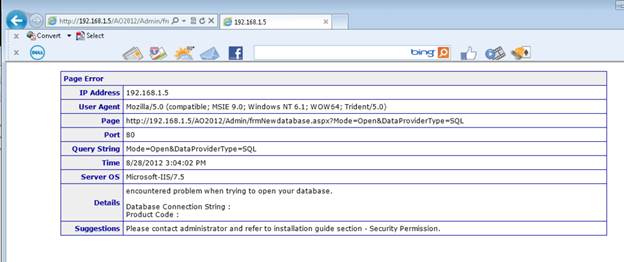
This normally happens when the user account being used for AO20xxAppPool does not have read/write permission to public\setting\ folder. To resolve this issue you need to set the AO20xxAppPool Identity to NetworkService.
1. Go to Start-Control Panel-System and Security-Administrative Tools-Internet Information Services.
2. On the left panel, select Application Pools. 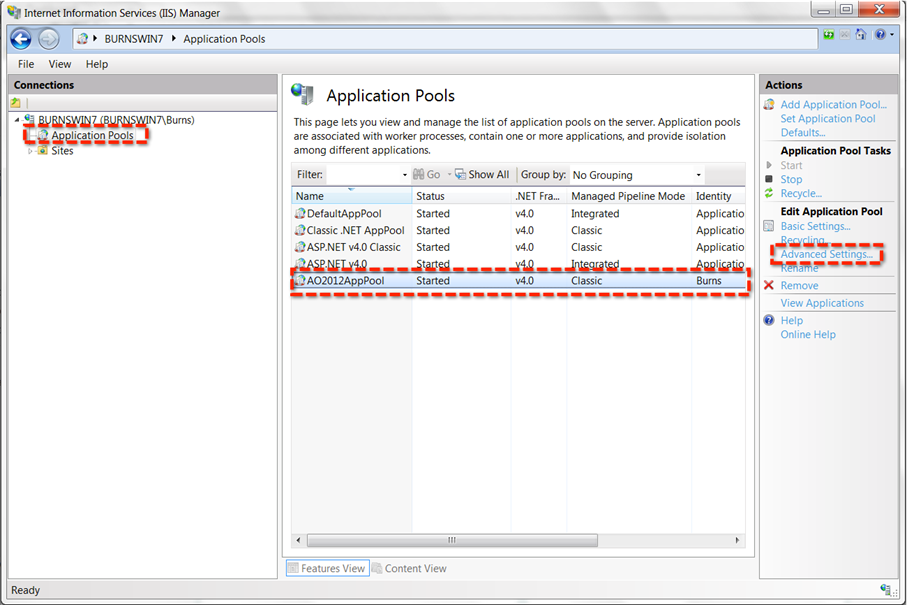
3. On the right panel, click AO20xxAppPool and select Advanced Settings.
4. Under Process Model, set Identity to NetworkService by clicking on the ... button on the left.
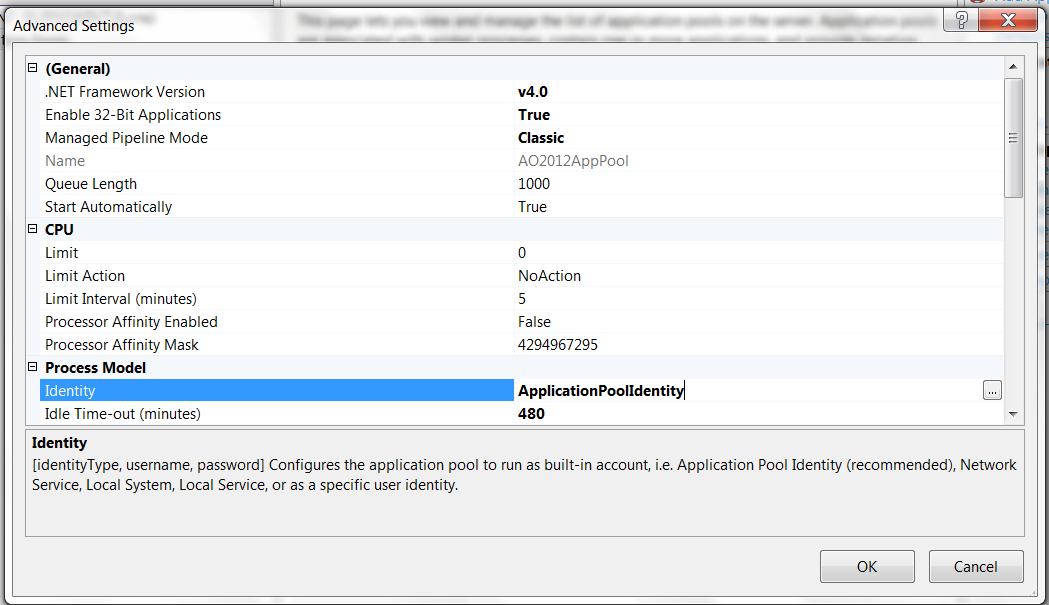
5. Click OK and exit.